
Not every laptop buying guide tells you what you actually need to hear. In 2026, budgets are stretched, options are endless, and flashy specs do not always mean real performance. This post gives you five laptops worth considering and the trends that will genuinely affect how you use your machine.

Why This Laptop Buying Guide Cuts Through the Noise
Spending money on a laptop right now feels like a bigger decision than it used to. You are not just picking specs off a chart. You are trying to figure out which machine will actually hold up, stay fast, and not let you down two years from now when your needs have grown.
The truth is, most marketing makes this harder than it needs to be. Manufacturers love pushing flashy features that sound impressive but rarely affect your daily experience. What matters comes down to a few key factors: performance that lasts, a design that fits your workflow, and a price that does not make you wince.
So this laptop buying guide cuts straight to what works. You will find five standout laptops for real-world use, a breakdown of the trends worth your attention, and practical advice for getting the most out of whichever machine you choose.
The Top 5 Laptops Worth Buying in 2026
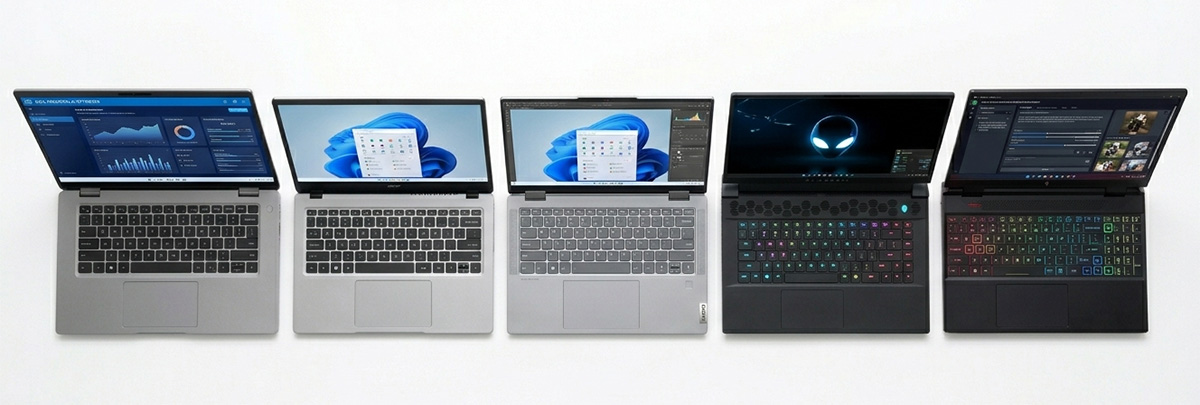
Not every great laptop gets the spotlight it deserves. Some of the best machines for everyday use sit quietly on retailer pages while the flashier, pricier options eat up all the attention. These five picks change that and give you a clear starting point.
The Everyday Workhorse: Dell 16 Plus
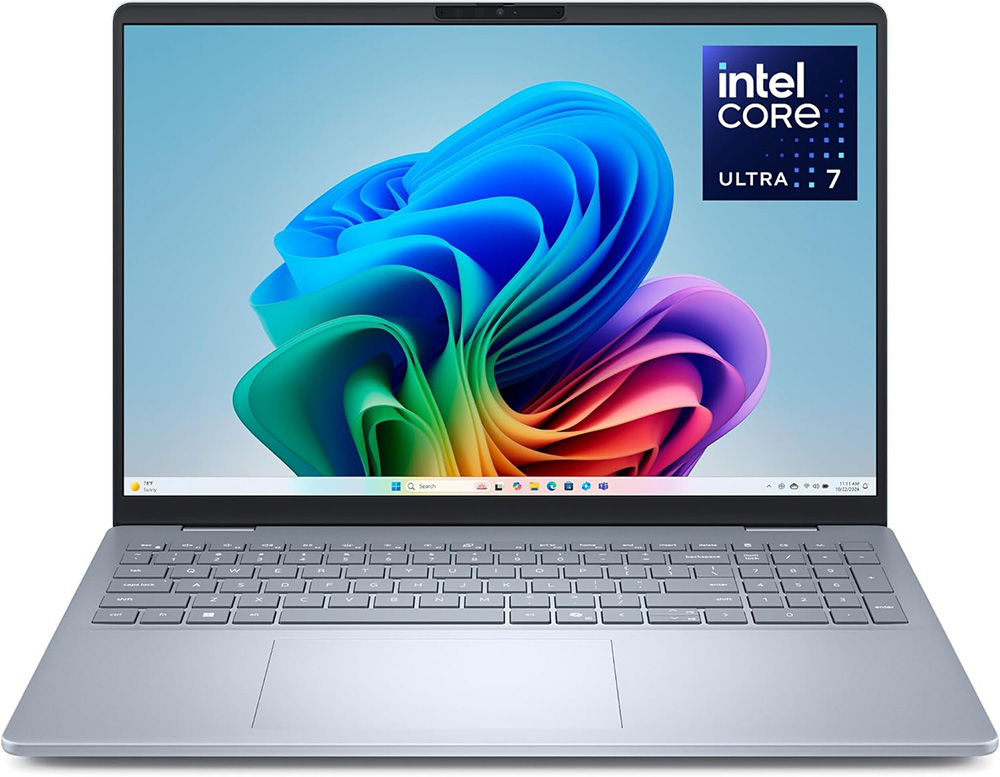
If you need a laptop that can comfortably handle work, multitasking, and everyday home use without feeling underpowered a year from now, the Dell 16 Plus is one of the safest all-around choices available. It strikes an excellent balance between performance, screen size, portability, and price, making it a strong fit for professionals, students, and home office users alike.
The 16-inch display gives you extra workspace for spreadsheets, browsing, and multitasking while still remaining portable enough for travel or remote work. Dell also keeps the full-size keyboard with a dedicated number pad, which is a huge advantage for anyone handling bookkeeping, office tasks, budgeting, or regular data entry.
Most configurations include Intel Core Ultra processors with built-in AI features designed to improve multitasking, video calls, and modern productivity software. Combined with fast SSD storage and solid battery life, the Dell 16 Plus delivers the kind of smooth everyday performance most users actually need.
It is not designed as a high-end gaming laptop, but for business use, streaming, school, remote work, and general productivity, the Dell 16 Plus earns its place as one of the best all-purpose laptops in this laptop buying guide.
Dell 16 Plus (DB16250) Overview
Typical Specs
- 16-inch FHD+ (1920×1200) anti-glare display
- Intel Core Ultra 5 or Ultra 7 processor depending on configuration
- 16GB RAM common, with higher configurations available
- 512GB to 1TB SSD storage
- Intel Arc integrated graphics
- Wi-Fi 6E and Bluetooth support
- Thunderbolt 4, USB-A, HDMI, headphone jack, and microSD ports
- Full-size backlit keyboard with dedicated number pad
- Typical Amazon price range: approximately $949–$1,299
Best Uses
The Dell 16 Plus is an excellent everyday business and productivity laptop. It works especially well for office work, bookkeeping, remote work, spreadsheets, web browsing, and multitasking. The large screen and number pad make it comfortable for long work sessions.
Pros
- Strong multitasking performance for daily work
- Full keyboard with number pad
- Large 16-inch display gives extra workspace
- Modern connectivity including Thunderbolt 4
- Good balance of portability and power
Cons
- Integrated graphics are not designed for serious gaming
- Display refresh rate is standard compared to gaming laptops
- Premium configurations can become expensive
- Fans may become noticeable during heavier workloads
View Dell 16 Plus configurations on Amazon
The Ultimate Budget Saver: Acer Aspire Go 15
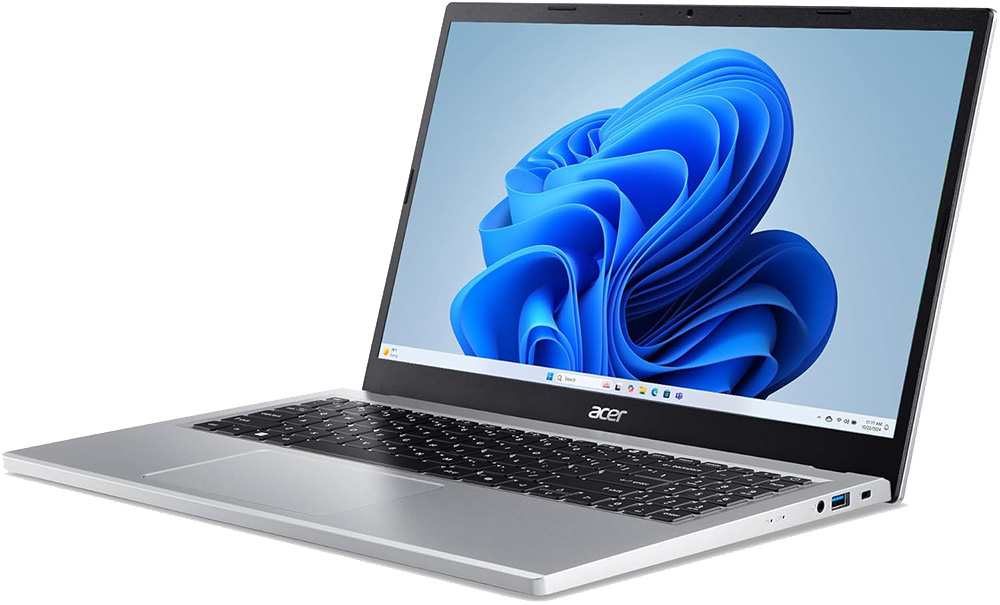
If keeping costs low is your top priority, the Acer Aspire Go 15 proves you do not have to buy junk just to stay within budget. It handles web browsing, video streaming, and school assignments with ease. For students, light home users, or anyone grabbing a reliable second machine, this laptop delivers genuine value.
It is not going to edit 4K video or run demanding games, and it was never designed to do so. For everyday computing, it performs well above its price point and holds up better than most budget machines in its class. The build quality feels solid enough that it does not come across as a throwaway purchase.
You get a real computer that does its job, stays dependable, and does not cost a fortune to replace when your needs eventually grow. Any trustworthy laptop buying guide for budget shoppers points right here.
Acer Aspire Go 15 Overview
Typical Specs
- 15.6-inch Full HD display
- Intel Core 3 or Intel i5 processor depending on configuration
- 8GB to 16GB RAM
- 128GB to 512GB SSD or UFS storage
- Intel integrated graphics
- Wi-Fi 6 and Bluetooth support
- USB-C, USB-A, HDMI, and headphone jack
- Full keyboard with dedicated number pad on most models
- Typical Amazon price range: approximately $299–$499
Best Uses
The Acer Aspire Go 15 is best for students, home users, web browsing, streaming, email, online shopping, and light office work. It is one of the better value choices for buyers trying to stay within a tighter budget.
Pros
- Affordable pricing for everyday computing
- Lightweight and easy to carry
- Includes a large screen and number pad
- Good for browsing, schoolwork, and streaming
- Decent battery life for casual use
Cons
- Slower under heavy multitasking
- Budget build quality compared to premium laptops
- Display quality is average
- Not suitable for gaming or video editing
View Acer Aspire Go 15 configurations on Amazon
The Premium Multitasker: Lenovo Yoga 7i 16
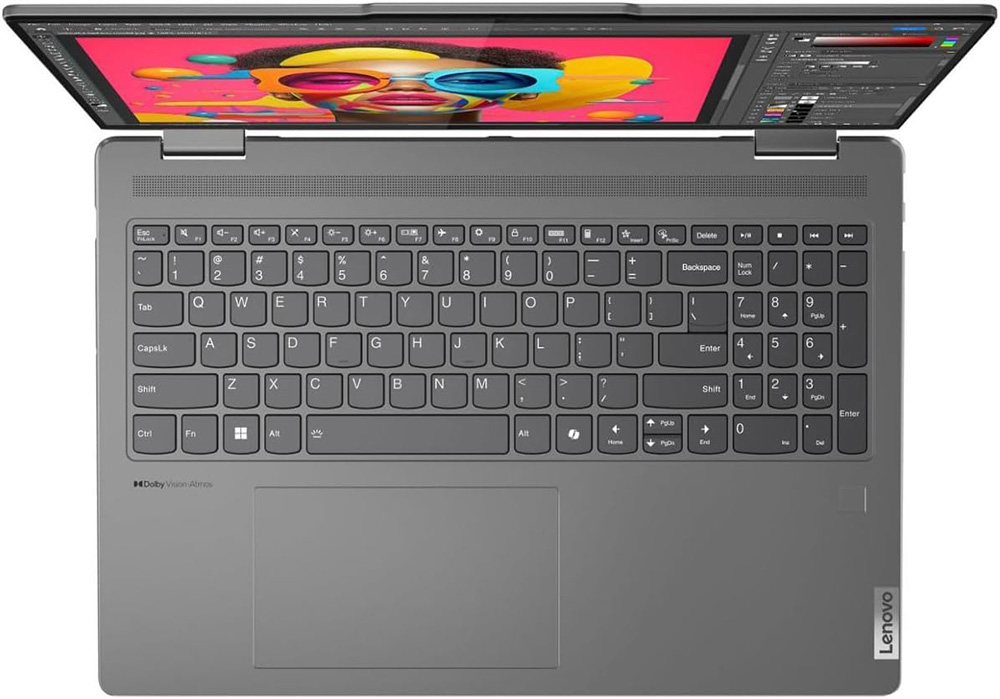
The Lenovo Yoga 7i 16 is for users who want something that feels premium without crossing into luxury pricing. The 16-inch display gives you serious screen real estate, which makes side-by-side windows and detailed work genuinely comfortable all day. Battery life lasts through a full workday without needing to hunt for an outlet.
Like the Dell, the Yoga 7i 16 keeps the physical number pad intact. For anyone who moves between spreadsheets, creative projects, and video calls throughout the day, this machine handles all of it without breaking a sweat. The build quality here feels noticeably better than machines at a similar price point.
If you want a laptop that impresses without a sky-high price, the Yoga 7i 16 earns a strong mention in any laptop buying guide aimed at professionals who want more than the basics.
Lenovo Yoga 7i 16 2-in-1 Overview
Typical Specs
- 16-inch touchscreen display with 16:10 aspect ratio
- Intel Core Ultra 5 or Ultra 7 processor
- 16GB RAM common on most configurations
- 512GB to 1TB SSD storage
- Intel Arc integrated graphics
- Thunderbolt 4 support
- 360-degree convertible hinge with stylus support
- Full-size backlit keyboard with number pad
- Typical Amazon price range: approximately $849–$1,099
Best Uses
The Lenovo Yoga 7i 16 is ideal for professionals, multitaskers, students, and users who want a more premium experience without spending gaming-laptop money. The touchscreen and convertible design also work well for presentations and creative work.
Pros
- Premium design and build quality
- Large touchscreen display
- Excellent multitasking performance
- Convertible 2-in-1 flexibility
- Includes a number pad and strong port selection
Cons
- RAM is soldered on many configurations
- Heavier than smaller ultrabooks
- Integrated graphics are limited for high-end gaming
- Battery life drops during demanding workloads
View Lenovo Yoga 7i 16 configurations on Amazon
The Hardcore Powerhouse: Alienware 16X Aurora
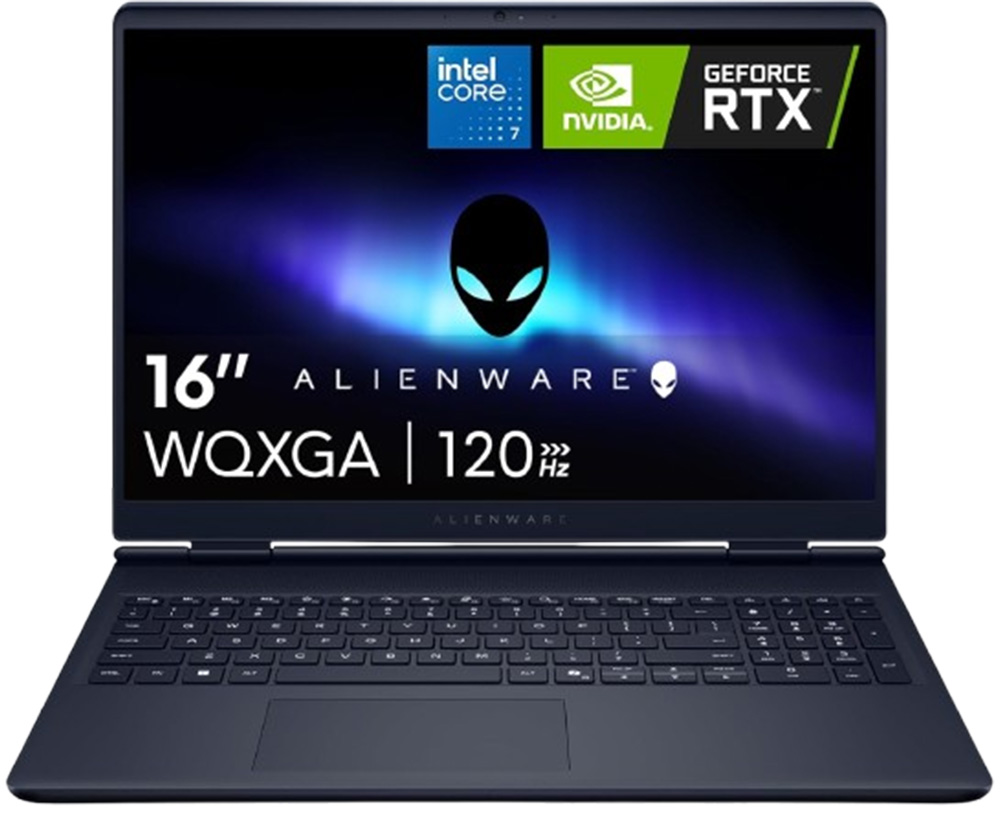
For serious gamers, video editors, and power users who refuse to compromise, the Alienware 16X Aurora remains the gold standard. It processes the heaviest graphic loads without flinching, and the top-tier cooling system prevents it from throttling your performance when things get intense under sustained heavy use.
Alienware machines are not cheap, and they are not meant to be. You are paying for hardware that holds up under extreme conditions, a build quality that lasts for years, and performance that stays fast long after other machines start slowing down. The cooling technology keeps output consistent where most laptops would back off to protect themselves.
If your workflow demands the very best, this laptop buying guide points you to the Alienware 16X Aurora without hesitation. It is built for users who cannot afford to be let down by their hardware at a critical moment.
Alienware 16X Aurora Overview
Typical Specs
- 16-inch QHD+ high-refresh display
- Intel Core Ultra HX-series processor
- NVIDIA GeForce RTX 4060, 4070, or higher depending on configuration
- 16GB to 32GB DDR5 RAM
- 1TB SSD common on most configurations
- Advanced cooling system
- Wi-Fi 7, Thunderbolt 4, HDMI 2.1, and Ethernet support
- RGB backlit keyboard
- Typical Amazon price range: approximately $1,200–$2,699
Best Uses
The Alienware 16X Aurora is built for gamers, video editors, streamers, and power users who need strong graphics performance. It also works well for demanding creative applications and high-resolution media work.
Pros
- Excellent gaming and graphics performance
- High-refresh display looks smooth and sharp
- Advanced cooling handles heavy workloads well
- Upgradeable memory and storage on many configurations
- Premium build quality
Cons
- Expensive compared to standard laptops
- Heavy and less portable
- Battery life is limited during gaming
View Alienware 16X Aurora configurations on Amazon
The Budget Gaming Hybrid: Acer Nitro V 16 AI
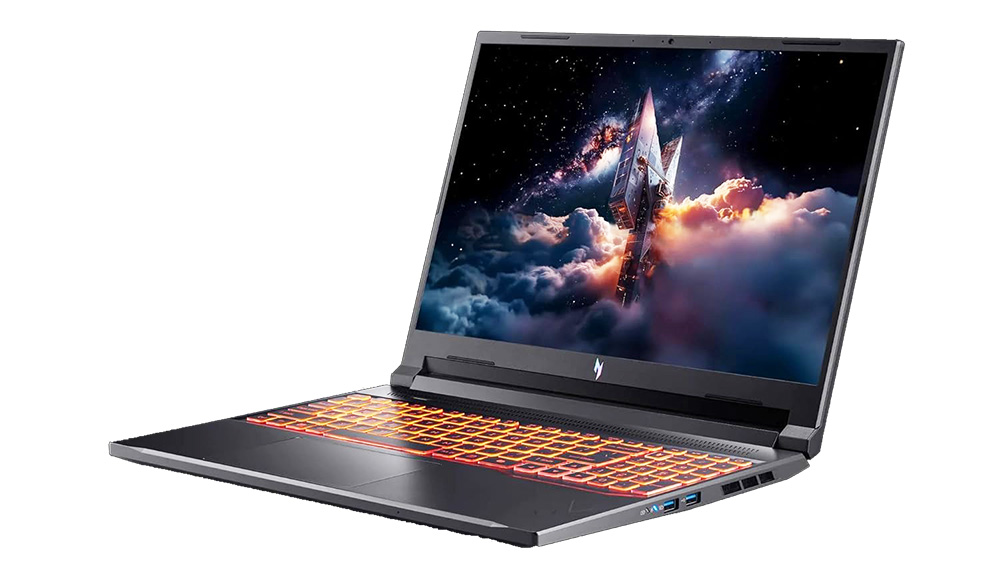
The Alienware price tag is not for everyone, and honestly, it does not need to be. The Acer Nitro V 16 AI delivers fantastic gaming and graphics performance at a price that does not require a payment plan. It doubles as a high-speed professional workstation during the day, making it a versatile machine for both work and play.
If you need high-end graphics power for creative work or gaming but want to keep your budget reasonable, this laptop delivers exactly that. It holds up well as a daily driver for demanding applications like video editing software, 3D rendering tools, and data-heavy workflows. For buyers who want flexibility built in from day one, it earns a firm spot in this laptop buying guide.
Acer Nitro V 16 AI Overview
Typical Specs
- 16-inch 165Hz or 180Hz display depending on configuration
- AMD Ryzen AI-series processor
- NVIDIA RTX 4050, 4060, or similar graphics depending on configuration
- 16GB DDR5 RAM common
- 512GB to 1TB SSD storage
- USB4, HDMI 2.1, Ethernet, and Wi-Fi 6E support
- RGB backlit keyboard
- Typical Amazon price range: approximately $849–$1,299
Best Uses
The Acer Nitro V 16 AI is a strong mid-range gaming and creative laptop for buyers who want solid graphics power without paying premium Alienware prices. It is also good for video editing, content creation, and entertainment.
Pros
- Strong graphics performance for the price
- High-refresh display improves gaming experience
- Good balance between gaming and productivity
- Upgradeable RAM and storage on many configurations
- Better value than many premium gaming laptops
Cons
- Fans become loud during gaming sessions
- Battery life drops under heavier loads
- Heavier than standard productivity laptops
- Display color accuracy is not ideal for professional creative work
View Acer Nitro V 16 AI configurations on Amazon
The Trends That Actually Matter in This Laptop Buying Guide
The spec sheet on any laptop can be overwhelming. Manufacturers list dozens of numbers hoping something sticks. However, only a few specs genuinely affect how a laptop feels to use every single day, and those are the ones worth focusing on before you buy.
Your Laptop Buying Guide to RAM: 16GB Is Now the Baseline
In the past, 8GB of RAM was perfectly fine for most tasks. That era is over. Modern browsers, security software, and background apps eat up memory faster than ever. If you buy a laptop with 8GB today, you will feel the slowdown sooner than you expect, often within the first year of regular use.
16GB of RAM is now the minimum for any laptop meant to stay fast for three to five years. Every machine featured in this laptop buying guide hits that mark or can be configured to reach it. Do not let a low-RAM machine tempt you just because the price looks attractive right now.
Your Laptop Buying Guide to the Number Pad
Ultra-thin laptops have been quietly dropping the number pad for years, and plenty of users have pushed back hard. If you work with spreadsheets, handle financial planning, or enter data regularly, that physical layout makes a real difference to your speed and comfort over long sessions.
Sticking to 15.6-inch or 16-inch laptops is the easiest way to guarantee you keep it. Both the Dell 15 AI and the Lenovo Yoga 7i 16 from this laptop buying guide preserve that layout, which is a key reason they both earned their spots. Giving up the number pad is a tradeoff worth thinking through carefully.
Your Laptop Buying Guide to On-Device AI
You may see laptops advertised with an NPU, which stands for Neural Processing Unit. This chip handles AI-driven tasks locally rather than sending everything to the cloud. Background noise removal on video calls, smart search assistants, and real-time transcription all run faster and more smoothly when processed directly on the device itself.
This is not a marketing gimmick. As more software leans on AI for everyday tasks, a dedicated NPU handles those jobs without overloading your main CPU or burning through your internet bandwidth. When comparing the best laptops 2026 has available, NPU support is a forward-looking feature worth adding to your checklist before you commit to a machine.
Your Laptop Buying Guide to Setup and Data Transfer
Choosing the right laptop is only part of the job. Following the steps in this laptop buying guide means nothing if your new machine is slow on day one from factory bloatware and your old files are scattered across two broken computers.
Start With a Clean Setup
New laptops come loaded with bloatware straight from the factory. Trial software, manufacturer apps, and pre-installed tools you will never use all start running in the background from day one, slowing your machine down before you have even opened a browser.
A clean setup removes all of that and lets your laptop run at its actual potential. Getting professional help with the initial configuration means your machine performs the way it should from the very start. It is one of the easiest wins available when you bring home new hardware.
Do Not Skip the Data Transfer
Moving your digital life from an old machine to a new one sounds simple, but it rarely is in practice. Years of family photos, tax documents, browser bookmarks, saved passwords, and old emails do not migrate cleanly on their own. Attempting it without a plan often leads to lost files and hours of frustration.
Professional data transfer services handle this process carefully, making sure everything arrives intact and organized on your new machine. It saves you days of hassle and removes the risk of permanently losing something irreplaceable. When you invest in quality hardware, it is worth investing in getting the setup right from the very beginning.
Back Up Your Laptop Before It Is Too Late
Once your new laptop is set up exactly the way you like it, creating a backup should be the very next thing you do. Most people skip this step until something goes wrong, and by then the damage is already done.
A proper backup protects your files, your settings, and everything you have installed in case of hardware failure, theft, or accidental damage. It takes far less time to create a solid backup than it does to rebuild a machine from scratch after a problem hits. For a clear walkthrough on doing it correctly, learn how to back up Windows before disaster strikes and make that habit part of your regular routine from the start.
Make Your Laptop Buying Guide Work for You
Every buyer has different needs, and no single machine is perfect for everyone. However, the best approach is always the same. Focus on what your daily workflow actually demands, choose a laptop built for the next few years rather than just right now, and make sure your setup is clean and your data is protected.
This laptop buying guide exists to remove the guesswork and give you a clear path forward. Whether you are a student working with a tight budget, a remote professional who needs reliable daily performance, or a gamer who refuses to cut corners, there is a machine on this list that fits. Take the time to choose well, set it up properly, and protect what matters. Your next laptop purchase should be one you feel confident about for years to come.
Need Repair? Let’s Get It Fixed Today
Ready to Fix Your Computer Problem? Schedule Service Today!!