
The Windows 11 support end date depends on your version, not Windows 11 itself. Version 24H2 Home and Pro reached end of updates on October 13, 2026, while newer versions remain supported. Here is how to check yours and what to do next.
What Is the Windows 11 Support End Date?
The Windows 11 support end date is different for every version of Windows 11. Windows 11 as a whole is still supported, and newer versions still receive updates.
So, when will Windows 11 support end for your PC? That depends on your version and edition. For example, version 24H2 Home and Pro reached end of updates on October 13, 2026.
However, versions 25H2 and 26H2 remain supported. Also, Enterprise and Education editions follow different dates.
Why Does the Windows 11 Support End Date Differ by Version?
The Windows 11 support end date differs by version because each yearly feature update gets its own support period. Home, Pro, Pro Education, and Pro for Workstations editions get 24 months of support. Meanwhile, Enterprise and Education editions get 36 months.
Windows 11 stays supported overall while an older version reaches its end of updates. In short, think of each version as its own clock.
How Do You Check Your Windows 11 Version?
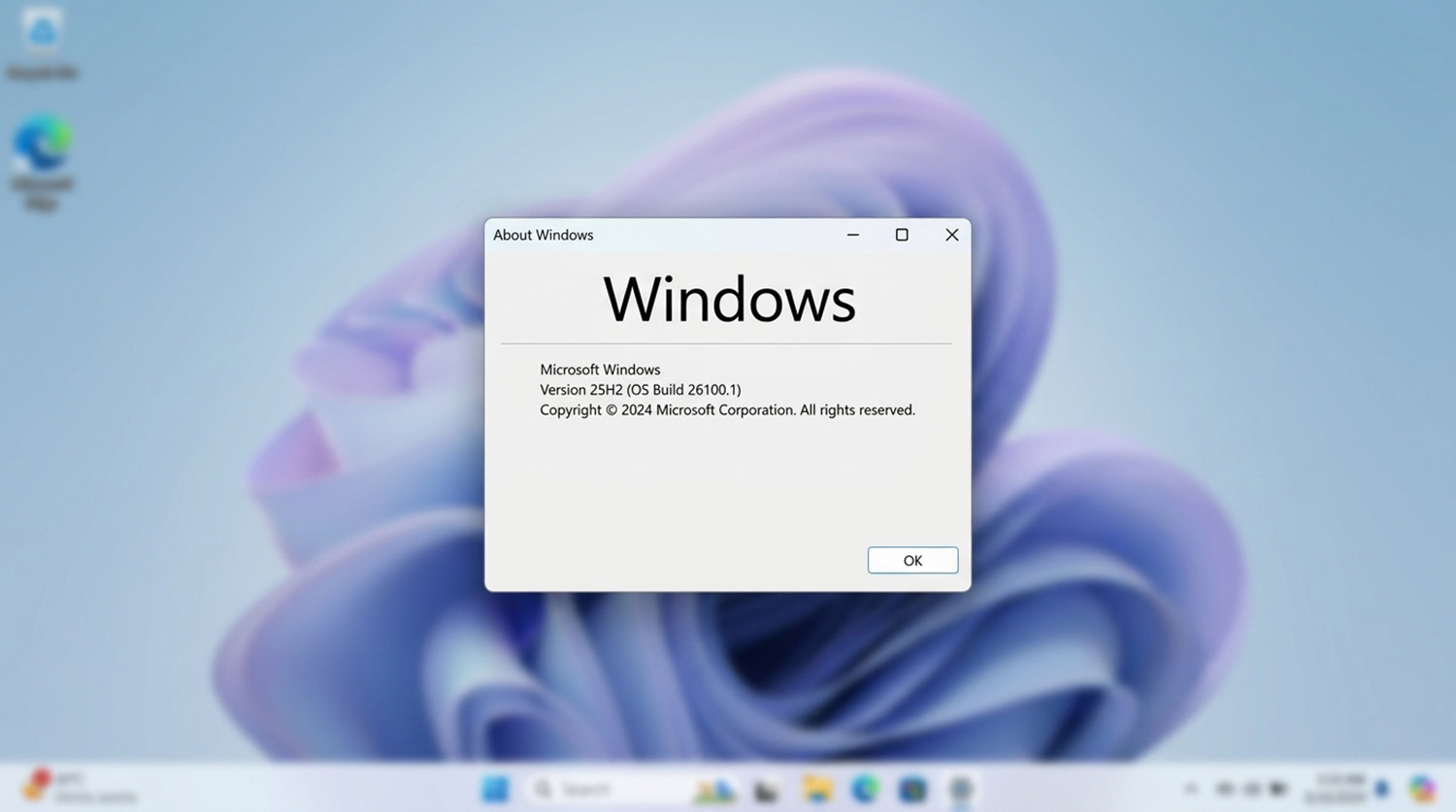
You can check your Windows 11 version by pressing the Windows key and R, typing , and pressing Enter. Then read the details in the box that opens.
- First, press the Windows key and R at the same time.
- Next, type winver and press Enter.
- Finally, read the version number, such as 24H2 or 25H2, in the About Windows box.
Note the version, not just the build number. Also, a build number is not a support deadline.
How Do You Find Your Windows 11 Edition in Settings?
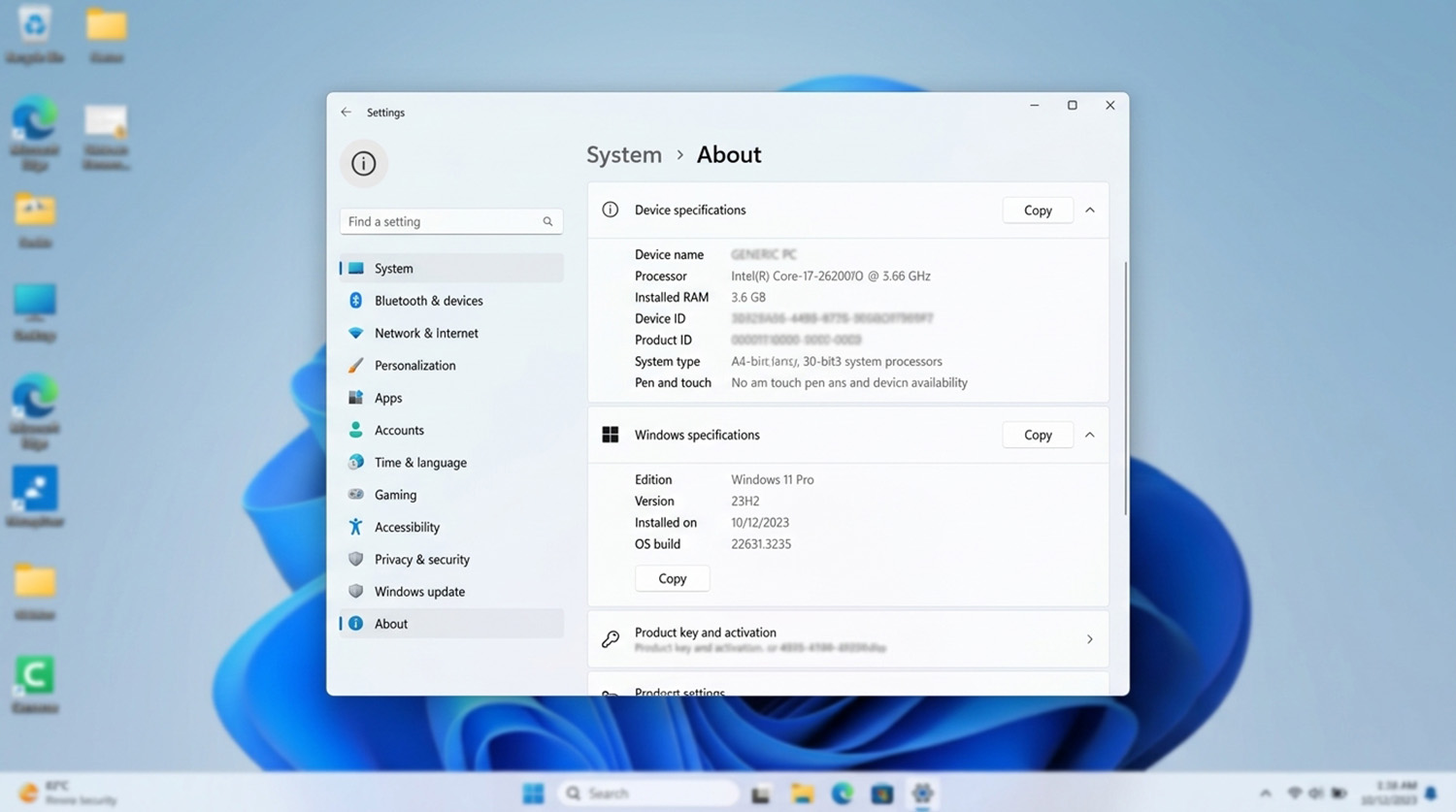
Open Settings, select System, then select About to see your Windows edition and version under Windows specifications. The edition tells you whether you run Home, Pro, Enterprise, or Education. Likewise, the version tells you whether you run 24H2, 25H2, or 26H2.
Check both, because your edition changes which end date applies.
What Is the Windows 11 Support End Date for Each Version?
The Windows 11 support end date for Home and Pro is October 13, 2026 for version 24H2. Newer versions end later, and Microsoft lists every date on its <a href=”https://learn.microsoft.com/en-us/windows/release-health/windows11-release-information”>Windows 11 release information page</a>.
- Version 24H2: Home and Pro ended October 13, 2026. Enterprise and Education end October 12, 2027.
- Version 25H2: Home and Pro end October 12, 2027. Enterprise and Education end October 10, 2028.
- Version 26H2: Home and Pro end October 10, 2028. Enterprise and Education end October 9, 2029.
However, version 26H1 is different. Microsoft built it for new devices, so it is not an in-place update for existing 24H2 or 25H2 PCs.
What Happens After the Windows 11 Support End Date?
Your PC keeps working after the Windows 11 support end date, but it stops getting monthly security updates. Quality updates stop too. Security updates fix newly found weaknesses, so a PC without them becomes easier to attack over time.
Your files and apps still open normally. Even so, you should move to a supported version soon.
How Do You Update to a Supported Windows 11 Version?
You can update by opening Settings, selecting Windows Update, and choosing Check for updates. Follow these steps in order.
- Back up your important files first, since a major update changes system files.
- Next, open Settings and select Windows Update.
- Then select Check for updates.
- If a newer Windows 11 version appears, select Download and install.
- Restart when prompted, then run winver again to confirm your version.
If you are past the Windows 11 support end date, these steps are the best first move. On a work or school computer, ask your IT administrator before changing anything. Also, managed devices often follow update rules set by the organization.
What Is Windows 11 26H2?
Windows 11 26H2 is the newest Windows 11 version, released on September 29, 2026. Microsoft delivers it as an enablement package to eligible devices running 24H2 or 25H2. Because those versions share a servicing foundation, Microsoft describes the install as fast.
Why Does Windows Update Not Offer a Newer Version?
Several things can stop Windows Update from offering a newer Windows 11 version.
- Hardware compatibility: your PC may not meet the requirements for the newer version.
- Phased rollout: Microsoft releases new versions gradually, so your PC may be waiting its turn.
- Safeguard holds: Microsoft can block an update on PCs with a known issue, such as a driver conflict.
- Managed device policies: a work or school setup can control which version your PC receives.
Meanwhile, check for updates again in a few days. Also, do not bypass hardware requirements to force an update.
Do You Need a New Computer After the Windows 11 Support End Date?
No, an expired Windows 11 version usually needs a feature update, not a new computer. In fact, passing the Windows 11 support end date does not make your hardware obsolete. A new PC makes sense only when your computer cannot receive a supported version.
This most often affects older Windows 10 computers that were upgraded to Windows 11, since aging hardware may struggle. If that sounds like your PC, read our guide on upgrading or buying a new PC this year.
Is Windows 11 Version Support the Same as Windows 10 End of Support?
No, Windows 10 reached end of support in October 2025, which ended support for the whole operating system. A Windows 11 version reaching end of updates is a smaller event, because Windows 11 itself continues.
Not sure which Windows 11 support end date applies to your PC? Instead of guessing, we can check your version and handle the update for you with remote support.
Need Repair? Let’s Get It Fixed Today
Ready to Fix Your Computer Problem? Schedule Service Today!!