
Outlook keeps asking for password, even when you’re sure it’s correct? That usually means the real problem isn’t your password. It could be an old saved credential, a changed sign-in method, or extra verification Outlook now requires. This guide helps you find out which of these applies to you.

Outlook Keeps Asking for Password? Here’s Why
Outlook keeps asking for your password. This often happens due to an outdated saved credential. It can also occur after a recently changed account password. Or when a sign-in method Outlook no longer accepts automatically is in use. Microsoft identifies a changed email password as a common cause. Expired passwords on certain accounts also contribute. The good news is you can usually narrow this down with a few quick checks instead of guessing. If Outlook keeps asking for password on only one account and not others, that also points toward that account’s credentials rather than a device-wide problem.
How Do You Know If the Password Is Really the Problem?
You can tell by signing into your email account directly through the provider’s website instead of through Outlook. If the website rejects your password, the password itself needs to be fixed first. If the website accepts it but Outlook prompting for password continues, the problem is likely with Outlook’s saved credentials, sign-in method, or account setup, not the password itself.
I ran into a version of this while helping a client in West Knox, in Knoxville, TN. Xfinity had retired her old email password, but she never saw the notification email, and she didn’t have an alternate email on file to recover it. We used Xfinity’s password recovery portal to set a new password, and Outlook connected normally once the account itself was fixed.
Don’t keep changing your password over and over just because Outlook keeps prompting. If the webmail login works, changing the password again won’t fix a problem that’s happening on Outlook’s side.
How Do You Remove Old Saved Credentials in Outlook?
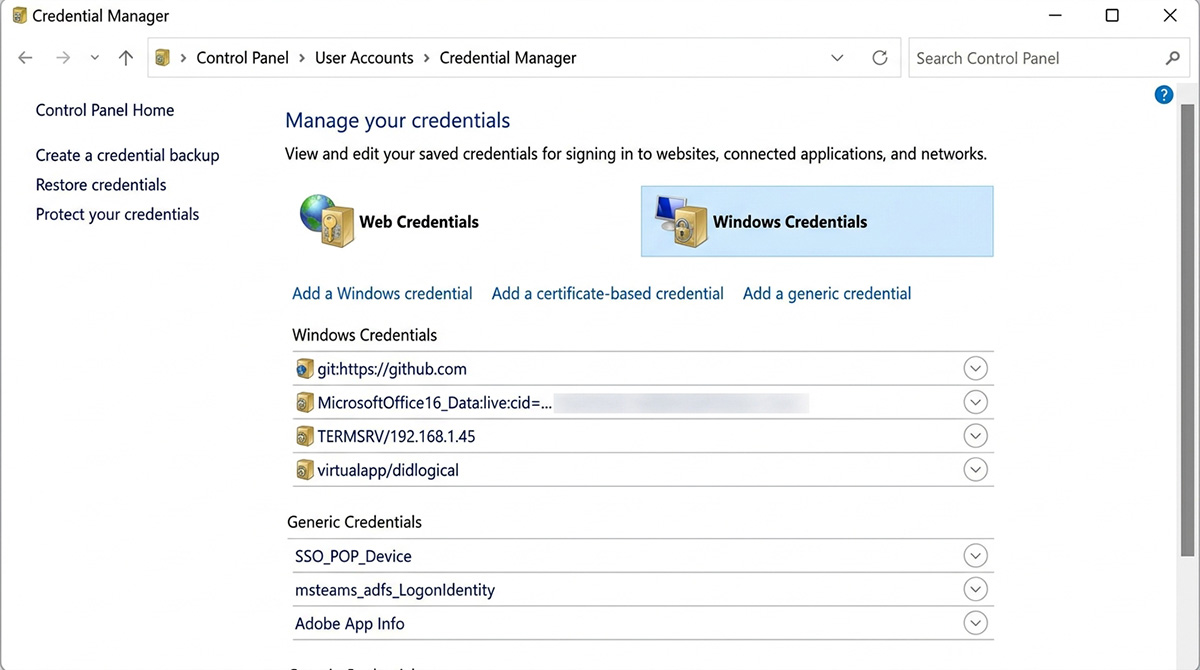
You can remove old saved logins through Windows Credential Manager, which stores sign-in information for apps like Outlook.
- Open Control Panel and go to Credential Manager.
- Select Windows Credentials.
- Find entries related to Outlook, Microsoft 365, or the affected email account.
- Remove the outdated entry, then restart Outlook and sign in again.
Only remove credentials clearly tied to the affected account. Deleting unrelated saved logins can cause other apps to start prompting you unexpectedly too.
Outlook Keeps Asking for Password Even When It’s Correct
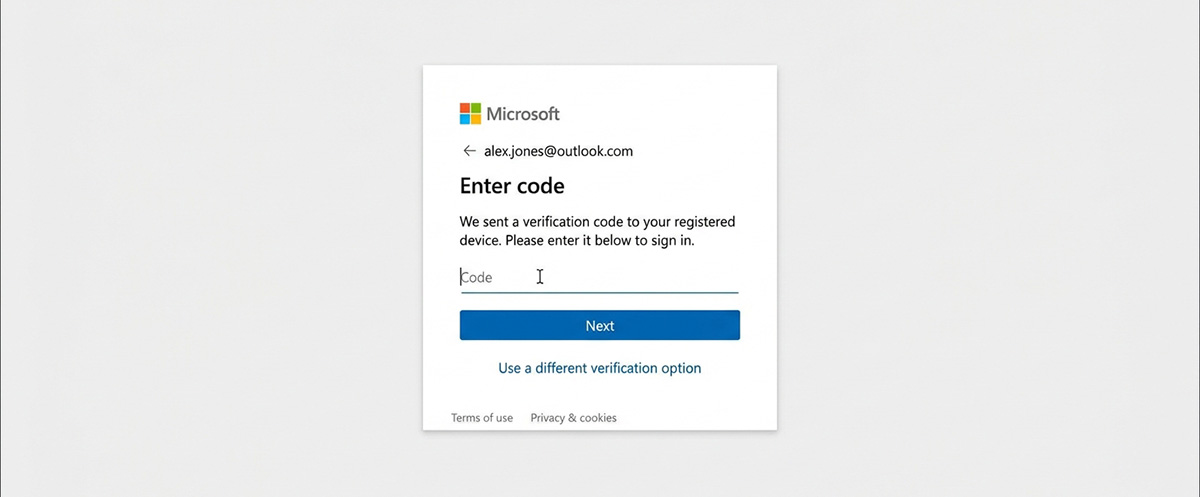
Outlook keeps asking for password confirmation even with a correct password when the account’s sign-in method has changed, most often a shift from older Basic Authentication to Modern Authentication. Two-factor authentication can also be part of this outlook password prompt, especially on Outlook.com accounts, where Outlook may need you to complete a Microsoft sign-in window instead of accepting a typed password. Updating Outlook, or the mobile app, sometimes clears prompts tied to outdated security standards.
If you’ve confirmed the password, tested webmail, and cleared saved credentials, and Outlook still won’t stop prompting, creating a new Outlook profile is a reasonable next step. It’s worth trying the steps above first, since a profile holds your accounts, data files, and settings. Should Outlook continue to request a password after a fresh profile, re-add the account using its current sign-in method.
Still Stuck? Here’s What Else Might Help
If your email trouble goes beyond password prompts, like messages that won’t send or receive at all, our guide on why your email is not working covers more of the common causes. If Outlook keeps asking for password after all of that, it can be frustrating to chase down alone, and if you’d rather have someone confirm the cause and fix it for you, here’s how to get in touch.
Need Repair? Let’s Get It Fixed Today
Ready to Fix Your Computer Problem? Schedule Service Today!!